A Complete Guide to Anonymous Internet Access and Digital Privacy
Your online privacy is valuable and deserves protection. This guide will walk you through the essential steps to achieve true anonymity on the internet. We will explore the tools and practices that can shield your digital life from prying eyes.
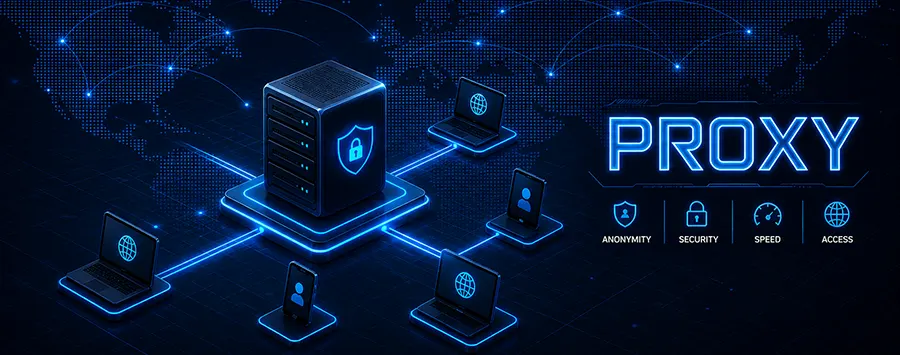
Imagine walking through a crowded city where every move is tracked, every conversation recorded, and every purchase noted. This is not a scene from a dystopian novel; it is a stark reality of our modern digital lives. Every click, search, and like contributes to a detailed profile of who you are. Anonymous internet access is not about hiding for nefarious reasons; it is about reclaiming a fundamental right - the right to privacy. It is the digital equivalent of drawing the curtains in your own home.
This guide is designed for anyone who has ever felt a twinge of unease about how much of their personal information is floating around online. We will demystify the concept of anonymity, break down the tools of the trade, and provide a practical roadmap for safeguarding your digital presence. This is not about becoming a ghost on the web; it is about becoming the guardian of your own data.
Why Bother with Online Anonymity?
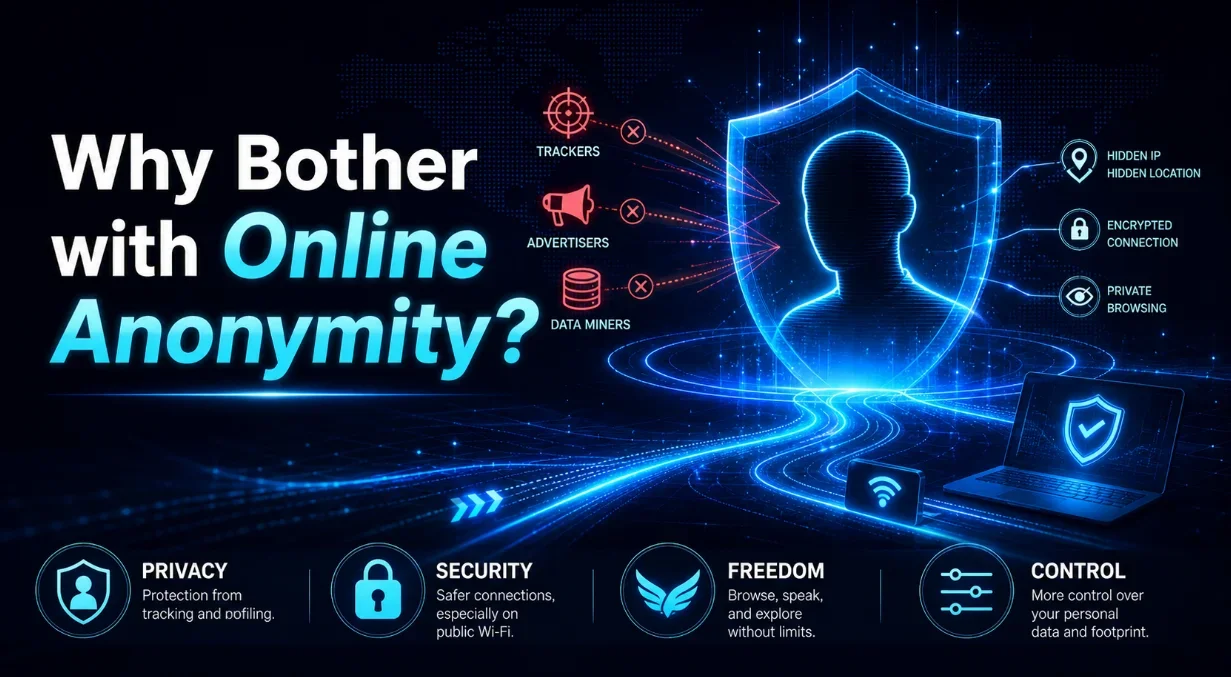
You might be thinking, "I have nothing to hide." That is a common sentiment, but it misses the point. Privacy is not about secrecy; it is about autonomy. It is about having control over your personal information. Think of your data as your personal property. Just as you would not want strangers rummaging through your mail, you should not want corporations and data brokers collecting and selling your digital footprint without your consent.
The risks of an exposed online identity are more significant than many realize. Beyond targeted advertising, your data can be used for identity theft, financial fraud, and sophisticated phishing attacks. Employers and institutions might scrutinize your online history. In some parts of the world, expressing certain opinions can have serious real-world consequences. Anonymity provides a layer of protection against these threats, allowing you to explore, learn, and communicate with greater freedom and security.
Furthermore, anonymity is a cornerstone of a free and open internet. It enables whistleblowers to expose wrongdoing, journalists to protect their sources, and activists to organize safely. By choosing to protect your own privacy, you are also supporting the principles that keep the internet a diverse and democratic space.
Untangling the Web: Privacy vs. Anonymity vs. Security
These three terms are often used interchangeably, but they represent distinct concepts. Understanding the difference is crucial to building an effective online defense.
Privacy is about controlling who has access to your information and how it is used. It is the ability to keep certain details to yourself. Using privacy settings on a social media platform is an act of managing your privacy.
Security is about protecting your data from unauthorized access or attacks. It is the lock on your digital door. Using strong, unique passwords and enabling two-factor authentication are security measures. They prevent someone from breaking into your accounts, but they do not necessarily hide your online activities from your internet service provider or the websites you visit.
Anonymity is the next level. It means operating online in such a way that your actions cannot be traced back to you, the real person. It is about disconnecting your online activities from your real-world identity. Achieving true anonymity is complex, but it is the ultimate goal for those seeking to completely obscure their digital trail.
Think of it this way: Security is the lock on your diary, privacy is your decision to keep the diary hidden in a drawer, and anonymity is writing the diary in a code that only you understand, so even if it is found, no one can link it back to you.
The Toolbox for the Discreet User
Fortunately, you do not need to be a tech wizard to significantly enhance your online anonymity. A range of tools has been developed specifically for this purpose. Each tool serves a different function, and often, they are used in combination to create a robust shield.
The most common tools include Virtual Private Networks (VPNs), the Tor Browser, secure browsers, and private search engines. Each has its strengths and weaknesses, its ideal use cases, and its level of complexity. The following table provides a high-level comparison to help you understand the primary options at your disposal.
| Tool | Primary Function | Best For | Ease of Use |
|---|---|---|---|
| VPN (Virtual Private Network) | Encrypts your internet connection and masks your IP address. | General browsing, streaming, bypassing geo-restrictions. | Very Easy |
| Tor Browser | Routes your traffic through a volunteer-run network of servers to anonymize it. | High-risk communication, accessing the dark web, maximum anonymity. | Moderate |
| Privacy-Focused Browsers (e.g., Brave, Firefox with tweaks) | Blocks trackers and fingerprinting scripts by default. | Everyday browsing with enhanced privacy over standard browsers. | Easy |
| Private Search Engines (e.g., DuckDuckGo, Startpage) | Does not track your searches or create a search profile. | Searching the web without being logged. | Very Easy |
Selecting the right tool depends entirely on your threat model - a concept we will explore in more detail later. For now, it is important to recognize that no single tool offers a perfect, one-click anonymity solution. They are components of a larger strategy.
How a VPN Becomes Your Digital Cloak
A Virtual Private Network, or VPN, is perhaps the most popular anonymity tool, and for good reason. It is relatively simple to use and provides immediate benefits. When you connect to a VPN, it creates an encrypted tunnel between your device and a server operated by the VPN provider. All your internet traffic travels through this secure tunnel.
Here is what happens in practice: Your Internet Service Provider (ISP) only sees that you are connected to a VPN server. They cannot see which websites you visit or what data you transfer. The websites you visit see the IP address of the VPN server, not your real IP address. This effectively masks your physical location and identity from the sites you browse. It is like sending a letter through a trusted friend who removes your return address and puts their own before mailing it on.
However, it is critical to choose a reputable VPN provider. Since all your traffic flows through their servers, a dishonest VPN provider could potentially log your activities. Look for providers with a clear no-logs policy, a proven track record, and strong encryption standards. A VPN is a powerful cloak, but you must trust the hands that hold it.
The Power of Tor: Not Just for the Dark Web
The Tor network often gets a bad reputation due to its association with the dark web, but its technology is a masterpiece of anonymity. Tor, which stands for "The Onion Router," works by bouncing your internet traffic through a series of volunteer-run servers called relays. Each relay peels away a single layer of encryption, like peeling an onion, so no single relay knows both the origin and the destination of the traffic.
This multi-layered approach makes it extremely difficult for anyone to trace your activity back to you. While slower than a VPN because of this complex routing, Tor provides a much higher degree of anonymity for free. The Tor Browser is a modified version of Firefox that is pre-configured to connect to the Tor network safely. It is an invaluable tool for journalists, activists, and anyone for whom standard privacy tools are not enough.
It is worth noting that while Tor anonymizes your traffic, it does not encrypt the data leaving the final relay (the exit node) to its destination. For this reason, always ensure you are visiting websites that use HTTPS, which encrypts the connection between the exit node and the website.
Crafting Your Personal Anonymity Strategy
Now that you are familiar with the tools, how do you build a strategy that works for you? The first step is to define your "threat model." This sounds technical, but it is simply a risk assessment. Ask yourself: Who am I trying to hide from? What information am I trying to protect?
- The Casual User: You are primarily concerned with data brokers, advertisers, and your ISP. Your goal is to prevent tracking and profiling. For you, a combination of a privacy-focused browser, a private search engine, and occasionally a VPN for sensitive tasks might be sufficient.
- The Vigilant User: You are concerned about government surveillance, potential hackers, or professional repercussions. You need stronger measures. A always-on VPN from a trusted provider, rigorous browser hardening, and a move away from data-hungry services like Google and Facebook are key steps.
- The High-Risk User: Your safety or liberty depends on anonymity. You might be a journalist in a hostile environment or an activist. For you, Tor should be the primary tool, supplemented by other secure communication methods and extreme operational security practices.
There is no one-size-fits-all solution. Your strategy should be a living set of practices that evolve as your needs and the digital landscape change. Start small. Maybe begin by switching your search engine to DuckDuckGo. Then, install a privacy browser. Gradually incorporate more tools and habits as you become more comfortable.
Beyond the Tools: Your Daily Habits Matter
Technology alone cannot grant you anonymity. Your behavior online is just as important, if not more so. The most sophisticated VPN is useless if you immediately log into Facebook and announce your presence. Here are some fundamental behavioral shifts to consider:
- Think Before You Share: Every piece of information you post online can be used to piece together your identity. Be cautious about sharing personal details, locations, and photos.
- Separate Your Identities: Consider maintaining separate online personas for different activities. Use one email for professional networks, another for social media, and perhaps an anonymous one for sensitive forums.
- Beware of Social Media: These platforms are designed to extract as much data as possible. Limit what you share, review your privacy settings regularly, and consider whether you need to be on every platform.
- Use Multi-Factor Authentication (MFA): While this is a security practice, it protects your accounts from being taken over, which could then be used to de-anonymize you.
Adopting these habits requires mindfulness, but they quickly become second nature. Anonymity is a journey, not a destination, and every small change adds another layer to your digital armor.
Dispelling Common Myths About Going Anonymous
The path to anonymity is littered with misconceptions. Let us clear up a few of the most persistent ones.
Myth 1: "Using Incognito Mode makes me anonymous." This is perhaps the biggest misconception. Incognito or Private Browsing mode only prevents your browser from storing your history, cookies, and form data locally on your device. It does not hide your IP address from your ISP or the websites you visit. You are still completely visible on the network.
Myth 2: "If I use a VPN, I am 100% anonymous." A VPN is a powerful tool, but it is not a magic invisibility cloak. It anonymizes your location and connection from your ISP and websites, but anonymity can be compromised by other factors, like browser fingerprinting or if you log into personal accounts while using it. Your trust in the VPN provider is also a critical factor.
Myth 3: "Only people with something illegal to hide need anonymity." This harmful myth equates privacy with guilt. As discussed earlier, anonymity is a tool for everyone. It is about personal freedom and protection from commercial exploitation and potential harm. Wanting privacy is a normal, healthy desire.
Understanding these myths is essential to building a realistic and effective anonymity plan. Do not fall for the false sense of security that incognito mode provides, and recognize the limits of even the best tools.
When Anonymity Becomes a Challenge
It is also honest to acknowledge the potential downsides and challenges of seeking anonymity. It can sometimes come with inconveniences. You might encounter more CAPTCHAs because your IP address is shared with other VPN users. Some websites may block access from known VPN or Tor exit nodes. Streaming services are particularly adept at detecting and blocking VPNs to enforce regional licensing.
There can also be a slight performance cost. Routing your traffic through multiple servers, as with a VPN or Tor, can slow down your connection speed. Furthermore, maintaining anonymity requires ongoing effort and vigilance. It is not a set-it-and-forget-it solution. The digital world is constantly changing, and new tracking methods are always being developed.
Despite these challenges, for most people, the benefits of increased privacy and security far outweigh the occasional inconvenience. The key is to find a balance that works for you, adopting the level of anonymity that matches your personal threat model without making your online experience frustrating.
Taking Your First Steps Today
Feeling overwhelmed? Do not be. The journey to anonymous internet access begins with a single, simple step. You do not need to implement everything at once. Here is a practical plan to get you started right now:
Step 1: Change Your Search Engine. Go into your browser settings and change your default search engine from Google to DuckDuckGo or Startpage. This takes seconds and immediately stops your search history from being profiled.
Step 2: Download a Privacy Browser. Install Brave or Firefox. Spend an evening exploring their privacy settings. These browsers block ads and trackers by default, making your everyday browsing instantly more private.
Step 3: Research a VPN. Spend some time reading independent reviews of VPN services. Look for providers with strong no-logs policies and a good reputation. Once you have chosen one, install it. Start by using it for your online banking or when connecting to public Wi-Fi.
These three actions will significantly boost your privacy in under an hour. From there, you can delve deeper, learning about advanced browser configurations, password managers, and encrypted messaging apps like Signal. The most important thing is to start. Your digital privacy is not something to be left for another day. In an era of pervasive data collection, taking control of your online identity is one of the most empowering things you can do.