

Securing Your Online World A Practical Guide to Web Browsing
Your journey into the digital realm should be safe and private. This guide provides the essential knowledge to take control of your online security. Start building your first line of defense today.

Have you ever stopped to think about the digital trail you leave behind with every click? In our interconnected world, secure web browsing is not merely a technical consideration. It is a fundamental aspect of our daily lives that protects everything from our personal conversations to our financial well-being. This guide is designed to demystify the process. We will walk you through the practical steps you can take to fortify your online presence, transforming you from a passive user into an informed guardian of your digital domain. The goal is not to instill fear but to empower you with confidence and control.
The Digital Footprint You Can't See
Imagine walking through soft sand. With each step, you leave a clear impression that tells a story of where you've been, how heavy your load is, and the direction you're heading. Your online activity creates a remarkably similar trail, a digital footprint that is constantly being recorded and analyzed. This footprint is composed of data points - the websites you visit, the links you click, the items you search for, and even the amount of time you spend on a page.
This data is incredibly valuable. On one hand, it helps websites provide a more personalized experience, like remembering your language preferences. On the other hand, in the wrong hands, this information can be used to build a detailed profile about you for targeted advertising, or worse, for phishing attacks and identity theft. The first step toward secure browsing is simply becoming aware that this invisible exchange is happening. You are not anonymous by default. Every time you go online, you are sharing information. The question is, how much control do you have over that sharing?
Third-party trackers, which are snippets of code embedded on websites by entities other than the site you're visiting, are the primary tools for collecting this data. They follow you across the internet, correlating your behavior on different sites to create a comprehensive picture. While major browsers are now taking steps to block some of these trackers, the ecosystem is complex. Understanding that your browsing habits are a commodity is the crucial mindset shift needed to prioritize your security.
Choosing Your Armor The Browser Itself
Your web browser is your vehicle for exploring the internet. You wouldn't drive a car with faulty brakes or no airbags, so why would you use a browser that isn't secure? The choice of browser forms the foundation of your safety. Popular options like Google Chrome, Mozilla Firefox, Apple Safari, and Microsoft Edge all have strong security features, but they differ in their approach to privacy.
When evaluating a browser, you should look for a few key characteristics. First, consider its track record with security updates. A browser that is frequently updated is one that is actively patching newly discovered vulnerabilities. Second, examine its privacy policy. How does it handle your data? Some browsers are designed with privacy as a core principle, limiting data collection by default. Finally, look at the ecosystem of extensions. A robust library of security-focused extensions allows you to customize your protection.
It is also worth noting that using the latest version of your chosen browser is non-negotiable. Those update notifications might seem annoying, but they often contain critical patches for security holes that hackers are eager to exploit. Enabling automatic updates is one of the simplest and most effective security measures you can take. It ensures your digital armor is always reinforced against the latest threats without you having to lift a finger.
The Guardians of Your Gates Understanding HTTPS and SSL
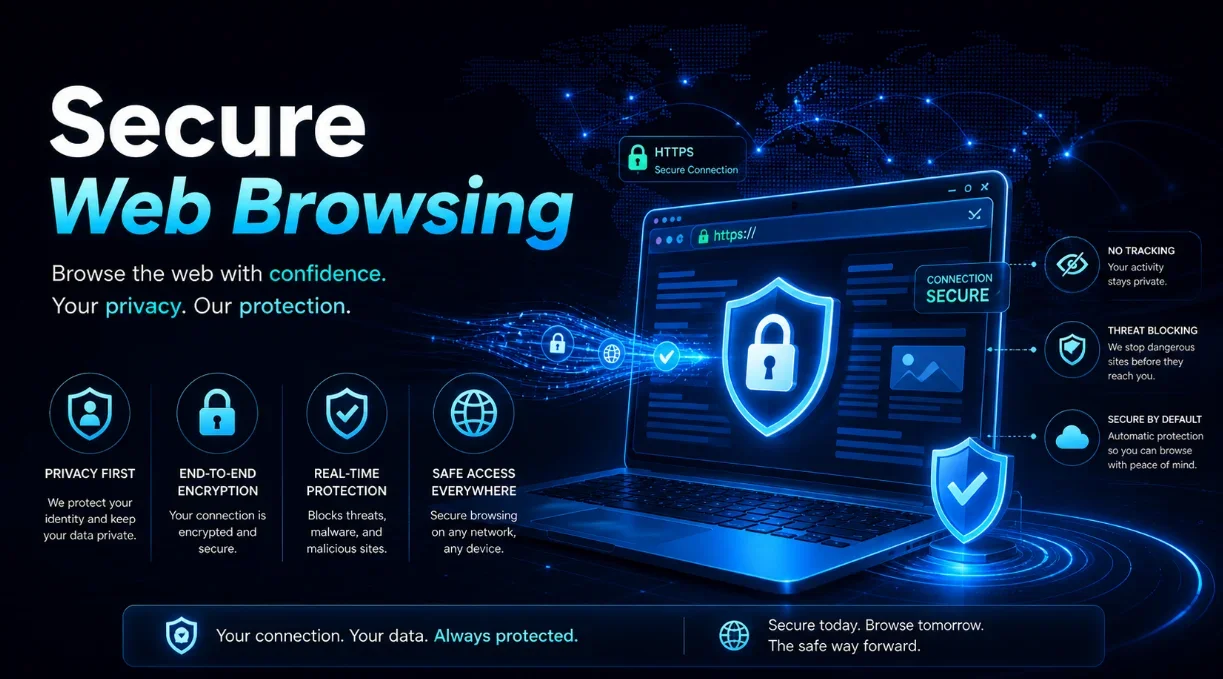
Before you enter any website, you need to check the gatekeeper. That gatekeeper is the little padlock icon you see in your browser's address bar. This symbol indicates that the website is using HTTPS (Hypertext Transfer Protocol Secure) instead of the older, insecure HTTP. Think of HTTP as sending a postcard - anyone who handles it can read the message. HTTPS, however, is like sending a letter in a locked safe. The information between your browser and the website is encrypted, making it unreadable to anyone who might intercept it.
This encryption is made possible by an SSL (Secure Sockets Layer) certificate, a digital passport that authenticates a website's identity and enables an encrypted connection. When you see that padlock, you can be confident that the data you send - such as passwords or credit card numbers - is secure during transmission. However, it is vital to understand what the padlock does not guarantee. It does not mean the website itself is legitimate or safe from malware. It only secures the connection. A phishing site can have a valid SSL certificate, making it look trustworthy while still being designed to steal your information.
Therefore, the rule is simple: never enter sensitive information on a site that does not have the HTTPS padlock. Modern browsers often mark HTTP sites as "Not Secure," which is a clear warning sign. Make it a habit to glance at the address bar before logging in or making a purchase. This one-second check is a powerful deterrent against basic snooping and man-in-the-middle attacks.
Fortifying Your Defenses Essential Tools and Extensions
While a good browser is a great start, you can significantly enhance your security by equipping it with the right tools. Browser extensions are like adding advanced security systems to your home. They can block unwanted intruders, filter out malicious content, and give you greater control over your privacy. However, caution is necessary. Only install extensions from official marketplaces and read reviews, as malicious extensions can do more harm than good.
Here are some of the most effective types of security extensions you should consider:
- Ad Blockers: These do more than just remove annoying ads. They can also block malicious ads (malvertising) that sometimes appear on even reputable websites, which can automatically download malware to your device.
- Password Managers: These tools generate strong, unique passwords for every site and store them securely in an encrypted vault. You only need to remember one master password. This eliminates the risky habit of password reuse.
- Privacy Badgers: Extensions like Privacy Badger automatically learn and block invisible trackers that follow you around the web. They help shrink your digital footprint without requiring complex configuration.
Another powerful tool is a Virtual Private Network, or VPN. A VPN creates an encrypted tunnel for all your internet traffic, routing it through a server in a location of your choice. This masks your real IP address, making it much harder for websites and your internet service provider to track your online activities. This is especially important when using public Wi-Fi networks, which are notoriously insecure. A quality VPN service is a cornerstone of modern digital privacy.
Human Factor The Weakest Link
All the technology in the world cannot protect you from the most common vulnerability: human error. Phishing attacks, which trick you into revealing passwords or downloading malware, are successful because they prey on trust, urgency, and curiosity. A hacker can bypass the strongest encryption simply by convincing you to hand over the key. Recognizing these social engineering tactics is therefore a critical skill.
Phishing emails and messages often appear to be from a legitimate company like your bank or a popular service. They create a sense of panic - "Your account will be closed!" - or offer something too good to be true. The goal is to get you to click a link to a fake website that looks real or to open a malicious attachment. The best defense is a healthy dose of skepticism. Hover over links to see the actual URL before clicking. Be wary of unsolicited messages demanding immediate action. When in doubt, never click the link in the email. Instead, go directly to the company's website by typing the address yourself or using a saved bookmark.
Similarly, be cautious about what you download. Software cracked for free, mysterious email attachments from unknown senders, and downloads from unofficial websites are common carriers of malware. Always download software from the official source. Developing these cautious habits is like building a strong immune system for your digital life. It is your personal responsibility to question and verify, making you an active participant in your own security.
A Checklist for Everyday Browsing
Turning knowledge into action requires a plan. To make secure browsing second nature, here is a straightforward checklist you can follow. Consistency is more important than complexity. By integrating these steps into your routine, you will dramatically reduce your risk.
- Update Everything: Enable automatic updates for your browser, operating system, and key software.
- HTTPS is Mandatory: Look for the padlock. Do not log in or enter data on "Not Secure" sites.
- Embrace a Password Manager: Stop reusing passwords. Let the manager create and store strong, unique ones.
- Install Key Extensions: Add a reputable ad blocker and a privacy-focused extension to your browser.
- Think Before You Click: Scrutinize emails and links. Verify URLs. When unsure, navigate directly to the site.
- Use a VPN on Public Wi-Fi: Never access sensitive accounts on public networks without a VPN.
- Review Browser Settings: Periodically check your privacy and security settings to ensure they are configured for maximum protection.
Beyond the Browser Your Device's Role
Your browsing security is intrinsically linked to the health of the device you are using. A vulnerable operating system or a lack of antivirus software can undo all the careful work you've done in your browser. Think of your device's security as the walls of the castle, while the browser is the gate. You need both to be strong.
Ensure you have a reliable security suite or antivirus software installed and kept up to date. These programs provide a vital layer of defense against malware that might slip through other precautions. They can scan downloads in real-time and warn you about dangerous websites. Furthermore, your device's firewall should always be enabled. This acts as a barrier between your computer and the internet, controlling incoming and outgoing network traffic based on security rules.
Finally, practice the principle of least privilege. Do not use an administrator account for your everyday browsing. If you accidentally download malware, it will have the same permissions as the user account you are logged in with. By using a standard user account for daily tasks, you limit the damage that malware can inflict, as it won't have the rights to make deep-level system changes. This simple step can contain a potential security breach.
Staying Informed in an Evolving Landscape
The world of cybersecurity is not static. New threats emerge constantly, and what is considered secure today might be vulnerable tomorrow. Therefore, the final piece of the puzzle is a commitment to staying informed. You do not need to become a technical expert, but cultivating a general awareness of current threats is invaluable.
Follow reputable technology news sources that report on major security vulnerabilities and data breaches. If you hear that a service you use has been compromised, change your password immediately. Being proactive is far better than being reactive when it comes to your personal data. Understanding the "why" behind security recommendations also helps you adapt to new situations. When you know that the purpose of a password manager is to prevent credential stuffing attacks, you are more likely to use one consistently.
Security is a journey, not a destination. It is an ongoing process of learning, adapting, and implementing best practices. By taking ownership of your online safety, you are not just protecting your data. You are claiming your right to privacy and peace of mind in the digital age. The effort you invest now will pay dividends for years to come, allowing you to explore the vast resources of the internet with confidence and control.
| Threat | What It Is | Your Defense |
|---|---|---|
| Phishing | Deceptive messages designed to trick you into revealing sensitive data. | Verify sender addresses, hover over links, and never click on urgent, unsolicited requests. |
| Malware | Malicious software that can damage your device or steal data. | Use antivirus software, avoid suspicious downloads, and keep your system updated. |
| Data Tracking | The collection of your browsing habits by third-party companies. | Use privacy extensions (e.g., Privacy Badger), a VPN, and adjust your browser's privacy settings. |
| Unsecured Connections (HTTP) | Websites that transmit data in plain text, vulnerable to interception. | Always look for the HTTPS padlock before entering any personal information. |